Settings · Business
Offices & Book Now
Offices are the locations you serve from. Each one carries its own booking link, the primary office sets your account time zone, and any office can be enrolled for a Book Now button on Google.
Quick Answer - 30 Seconds
To add a location: Account settings → Business → Offices → Add another location → Name → pick the Address from the suggestions → Add location.
Your first office becomes the primary one automatically. Nothing changes on Google until you tick "Enable Book Now on Google".
What this controls
- Booking links. Every office has its own hosted booking page:
https://book.onepath.ai/<account-handle>-<location-id>/schedule. Share it in emails, on Google or on social. - Time zone. The primary office's address sets the account time zone used for every appointment and every time shown in the app.
- Book Now on Google. Enrolled offices get a booking button on their Google Business Profile that opens that office's booking page.
Where to find it
Location: Account settings → Business → Offices
→ app.onepath.ai/settings/account/offices
Company Owner and Account Admin can open it.
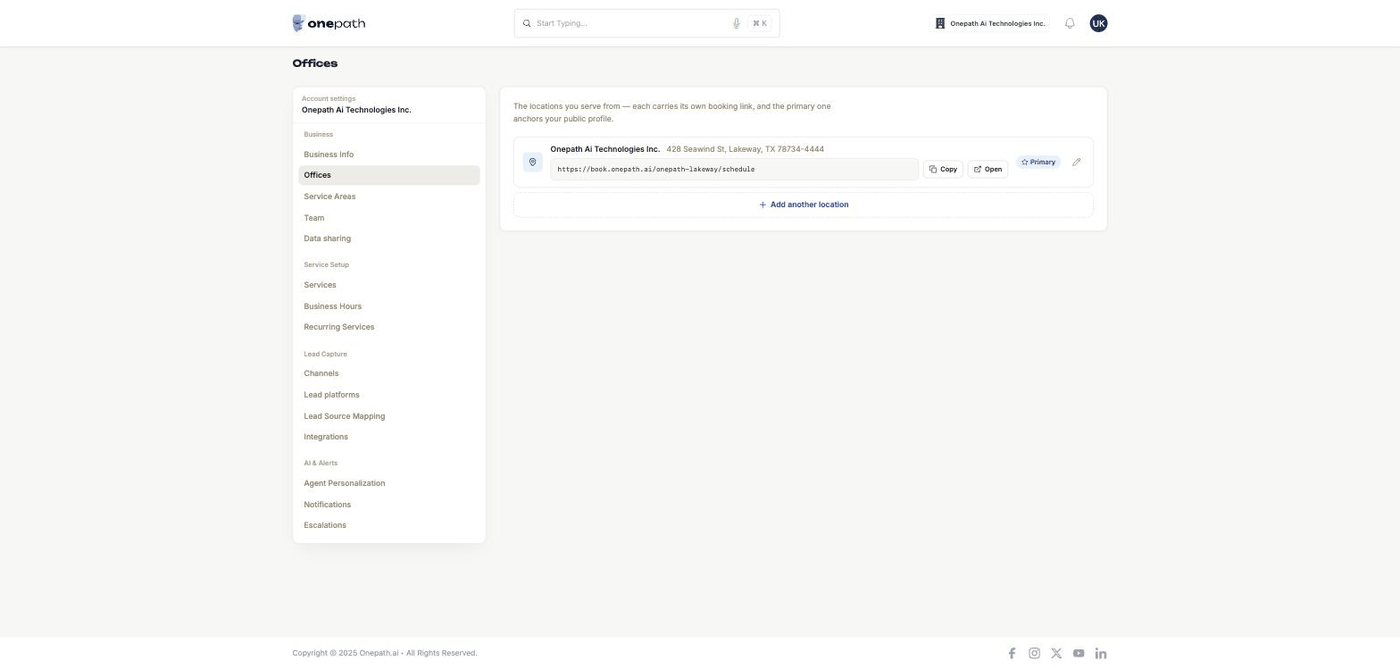
The list
Each row shows the office name and address, then:
| Element | What it does |
|---|---|
| Booking link with Copy / Open | Copies the office's booking page link or opens it. |
| Google review / Bookable on Google chip | Book Now status (see below). No chip means Book Now is off. |
| Primary badge | The office that anchors your public profile and time zone. |
| Make primary | Shown on other rows once you have two or more offices. |
| Edit (pencil) | Opens the form in place. |
| Remove (trash) | Only on non-primary offices when you have two or more. There is no confirmation, so click carefully. |
Rows are ordered primary first, then oldest. With no offices yet you see Add your main office.
Adding or editing an office
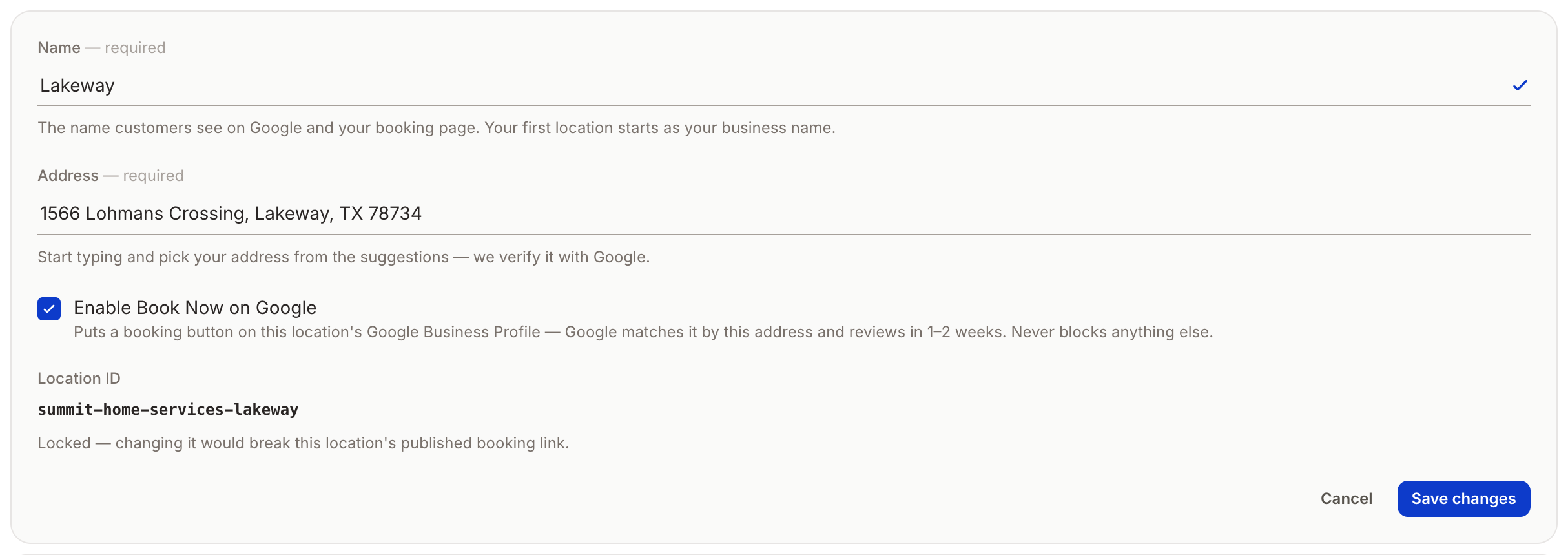
| Field | What to enter |
|---|---|
| Name | Required. The name customers see on Google and on the booking page, for example Coastline HVAC — Van Nuys. |
| Address | Required. Start typing and pick the address from the suggestions; OnePath verifies it with Google. Typing without picking shows "Pick your address from the suggestions so we can verify it." |
| Enable Book Now on Google | Tick to enrol this office (see below). |
| Location ID | The tail of the booking link after your account handle. It follows the name until you edit it; lowercase letters, numbers and hyphens only. |
Click Add location or Save changes. You see "Location added.", "Location updated.", "Primary office updated." or "Location removed."
Location IDs lock at go-live
Once your account is live, an office's Location ID is read-only: "Locked — changing it would break this location's published booking link." Pick IDs you can live with before go-live. Name and address stay editable.
Primary office
- The first office you create is primary. Use Make primary to move it.
- Making an office primary re-derives the account time zone from its address. Editing the primary office's address does the same.
- You cannot remove the primary office ("The primary office cannot be deleted; make another office primary first") or your only office.
Book Now on Google (Reserve with Google)
Tick Enable Book Now on Google on an office and save. Google matches the office to its Business Profile by address and reviews it, usually in 1–2 weeks. It never blocks anything else in OnePath.
| Status | What you see | What Google shows |
|---|---|---|
| Off | No chip | Nothing |
| Waiting | Google review | Nothing yet; the office has been submitted to Google |
| Approved | Bookable on Google | A Book button on the office's Google Business Profile in Search and Maps, linking to that office's booking page |
OnePath marks the office approved once Google confirms. Untick the box to withdraw the office; it is dropped from the next daily update to Google. Bookings that arrive this way show up as the Reserve with Google lead source, which you can map under Lead sources.
Quick Tips
- ✅ One office per region you serve - listings and lead attribution hang off these.
- ✅ Name offices the way customers search - "Coastline HVAC — Van Nuys" beats "Office 2".
- ✅ Always pick the address from the list - a hand-typed address cannot be verified or saved.
- ❌ Don't move the primary office casually - it changes the account time zone for everyone.
Still stuck?
Reach out in your OnePath Slack channel or email your account manager. Include the office name and the message you saw so we can help fast.