Settings · Business
Data sharing
If an agency or partner referred you to OnePath, Data sharing is where you decide whether they can see your monthly totals, and how they break down by lead source and by channel, in the reports they build for you.
Quick Answer - 30 Seconds
To stop sharing with a partner: Account settings → Business → Data sharing → switch off Share aggregate results with <Partner>. It saves the moment you flip it.
Partners only ever receive totals and their breakdown by lead source and by channel. Customer names, phone numbers, addresses and conversations are never shared, whatever you choose here.
What this controls
A referring partner is the agency or company that introduced you to OnePath. With sharing on, that partner can pull six monthly numbers for your account into their own reports, in total and for each lead source and channel. With sharing off, they see nothing.
Sharing is on by default for each referring partner. You choose separately for each one.
Where to find it
Location: Account settings → Business → Data sharing
→ app.onepath.ai/settings/account/data_sharing
Company Owner and Account Admin can open it.
Turn sharing on or off
Each referring partner has its own card, Sharing with <Partner>, with a status pill: Sharing on or Sharing off.
- Find the partner's card.
- Flip Share aggregate results with <Partner>.
- Wait for Saved. You also see "Sharing with <Partner> updated".
There is no Save button. If the save fails you see "Couldn't save — try again"; flip the switch again.
The change applies from the partner's next report. You can switch it back on at any time.
What a partner can see
Six numbers per month, in total and for each lead source and channel. The first three are your Dashboard's Job requests, Booked jobs and booking rate. The revenue numbers are estimates the Dashboard doesn't show.
| Number | What it counts |
|---|---|
| Leads | Job requests: each service a customer asked for |
| Appointments | Job requests that booked |
| Booking rate | Appointments over leads |
| Won revenue | Value of jobs marked won |
| Average ticket | Won revenue per appointment |
| Pipeline revenue | Open and won opportunities |
By lead source and by channel: the same six numbers for each lead source and each channel, under the names you gave your sources in Lead sources.
Never shared: customer names, phone numbers, addresses, individual leads, conversations and call recordings.
Partners read these numbers through the OnePath Reporting API. You don't need to set anything up for it.
What happens when you switch it off
- Your account disappears from that partner's list of accounts.
- If they ask for your numbers anyway, the API answers that the account is not found. It does not tell them you opted out.
- Other partners are not affected; each has its own switch.
- Your choice stays in place even if the partner is issued a new API key.
No referring partner
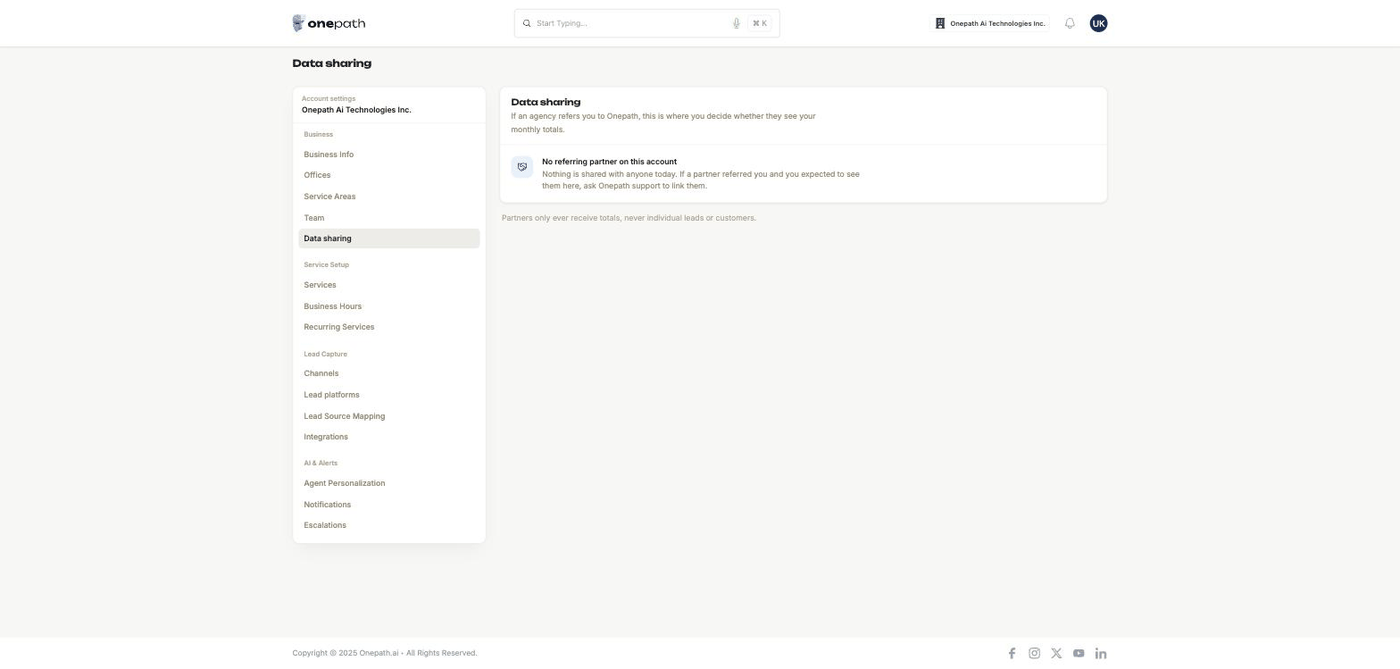
If nobody referred you, the page shows No referring partner on this account. Nothing is shared with anyone, and there is nothing to do.
You can't add or remove partners yourself. If an agency referred you and it isn't listed, ask OnePath to link it.
Quick Tips
- ✅ Leave sharing on if your agency reports on your results - their reports stay empty without it.
- ✅ Switch it off when you stop working with an agency - it takes effect on their next report.
- ❌ Don't worry about customer privacy here - no customer or conversation details ever leave through this switch.
Still stuck?
Reach out in your OnePath Slack channel or email your account manager. Include the partner's name so we can help fast.