No Appointments Available
Quick Answer
No slots for their preferred date?
- Check next available dates
- Offer 2-3 alternatives
- If urgent → Ask supervisor about emergency slots
Customer can't wait? → Be honest, offer alternatives or "Waiting for Answer"
Step-by-Step: Handle No Availability
Step 1: Check Other Dates
Don't give up on the first date. Look at:
- Next few days
- Different times on same day
- Next week
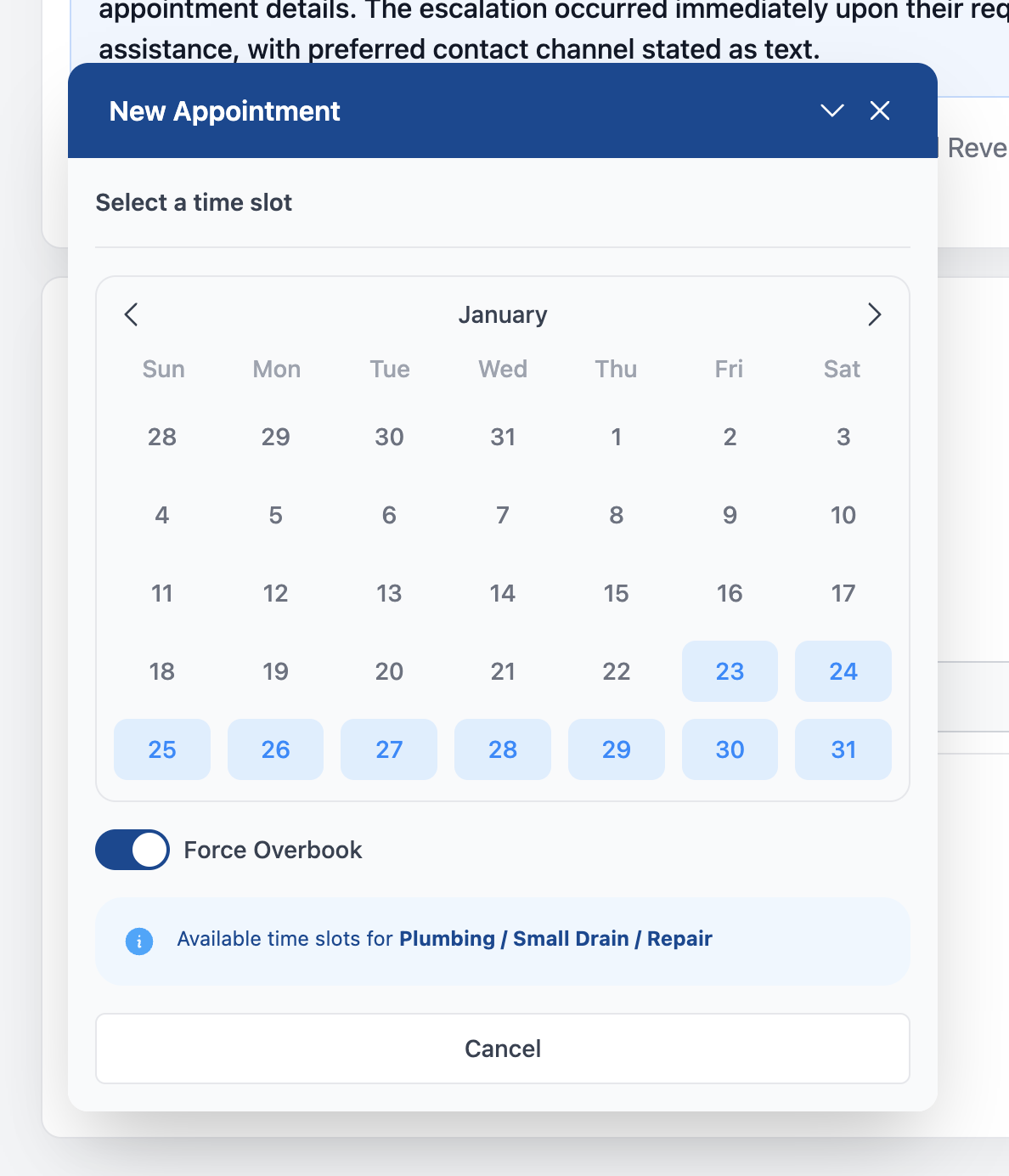
Step 2: Offer Alternatives
Give 2-3 options:
"I don't have anything available on Tuesday, but I can offer you Wednesday at 10 AM or Thursday at 2 PM. Which would work better?"
Let them choose - Don't push one time over another.
Step 3: If Nothing Works
Customer can't do any of your options?
Option A: Wait for cancellation
"I can put you on our list and call you if something opens up earlier. Would that help?"
Use "Waiting for Answer" and add a note.
Option B: Close the task
"I understand. If you'd like to try again when your schedule is more flexible, just give us a call."
Close with "No Availability" reason.
Urgent Situations
Customer has an emergency (no AC in summer, broken pipe, etc.)?
What to Do:
- Check with supervisor - There may be emergency slots
- Ask about overbook - Sometimes we can squeeze in urgent cases
- Be honest - If truly no options, tell them
What to Say:
"I understand this is urgent. Let me check with my supervisor to see if we have any emergency availability."
Put customer on hold → Ask supervisor → Return with answer.
Scripts for Different Situations
Customer's preferred date is full
"Unfortunately, [date] is fully booked. The next available is [date]. Would that work for you?"
Customer needs same-day
"Let me check our same-day availability... [If none] I'm sorry, we're fully booked today. The earliest I can get you in is [date]. I know that's not ideal - is there anything else I can help with?"
Customer is frustrated
"I completely understand your frustration. Let me see what options I can find for you."
Then check thoroughly before giving up.
Customer wants to wait for opening
"I'll make a note that you'd like an earlier appointment if something opens up. We'll call you if there's a cancellation."
What NOT to Do
| Don't | Why |
|---|---|
| ❌ Promise slots you don't have | Creates bigger problems later |
| ❌ Book overlapping appointments | Technicians can't be in two places |
| ❌ Make up availability | You'll lose customer trust |
| ❌ Give up after one date | Always check alternatives |
Closing the Task
If customer doesn't want any available options:
- Add note: What dates you offered, why they declined
- Click Resolve & Close
- Select "No Availability"
Example note:
Offered Wed 10 AM, Thu 2 PM, Fri 9 AM. Customer needs this week only, no times work. Will call back when schedule opens up.
Related Pages
- Booking Appointments - How to schedule
- Completing Tasks - Close reasons