How to Escalate
Need to Escalate RIGHT NOW?
4 Steps:
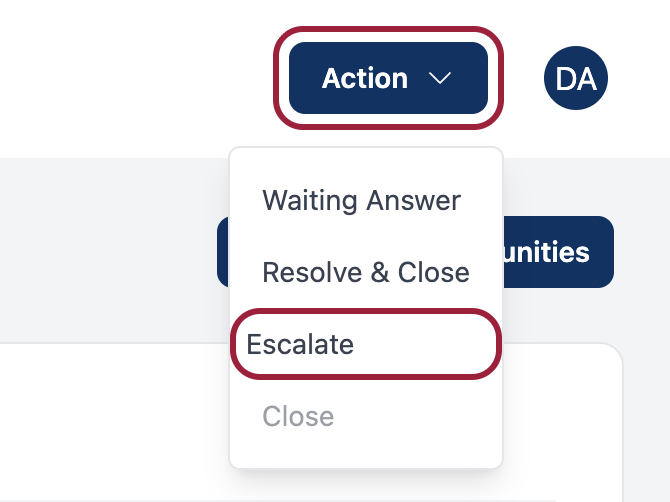
- Click "Escalate" button (top of task page)
- Select a category
- Type what you tried and why
- Click "Escalate to Account Team"
You won't get in trouble for escalating! That's exactly what it's for.
When to Escalate
Escalate immediately if:
- Customer is angry or yelling
- Customer asks for a manager
- ALL complaint tasks (no exceptions!)
- You don't know the answer
- Pricing or refund questions above your authority
- Customer threatens legal action or BBB
Handle yourself if:
- Simple questions you can look up
- Normal customer conversations
- Things within your authority
Step-by-Step: How to Escalate
Step 1: Click "Escalate" Button
Top of your task page → Click "Escalate" → Form appears.
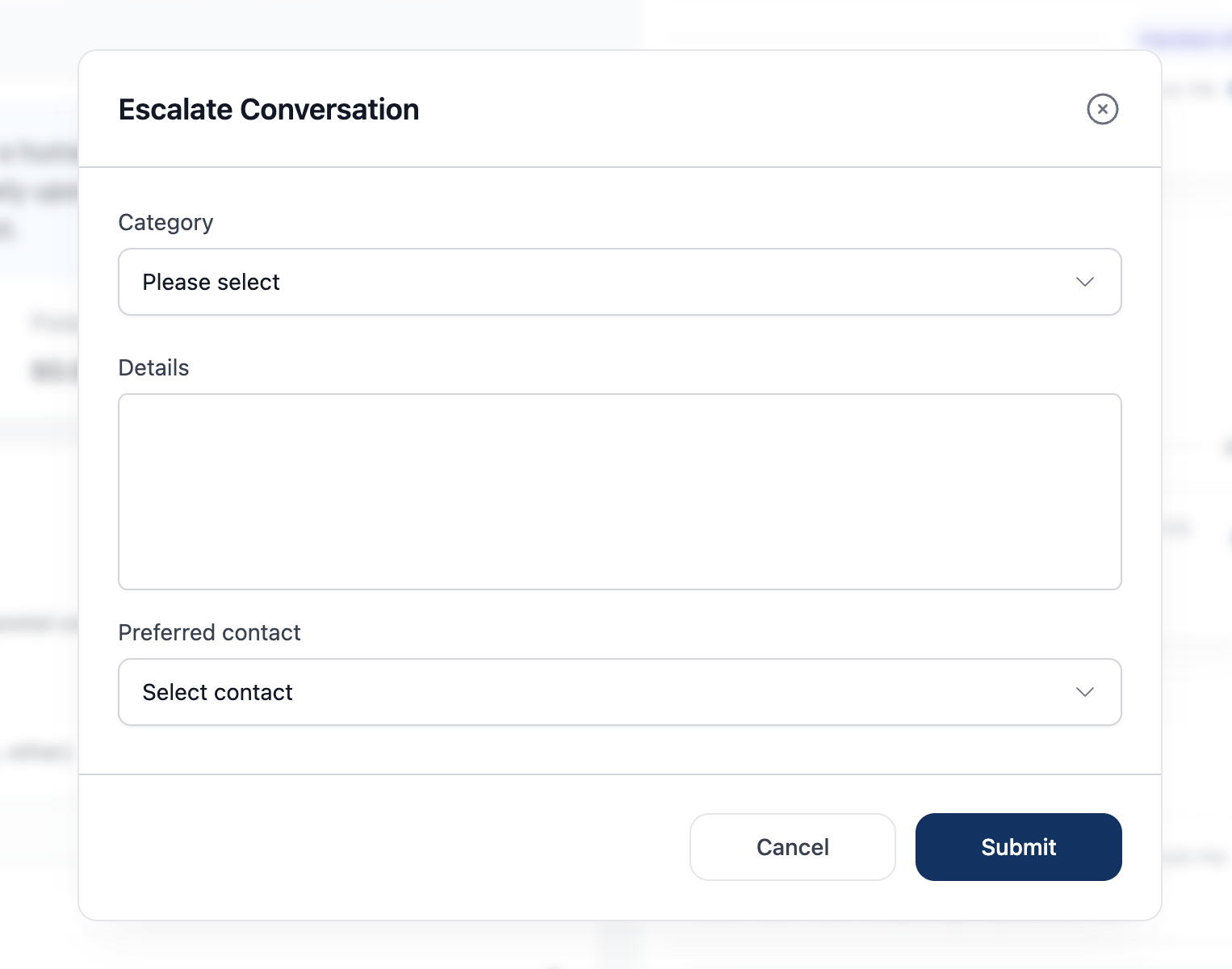
Step 2: Select a Category
| Category | Use When... |
|---|---|
| Complaint | Customer unhappy or has problem |
| Billing | Payment, charges, refunds |
| Pricing | Quote or estimate concerns |
| Technical | System or equipment problems |
| Other | Doesn't fit other categories |
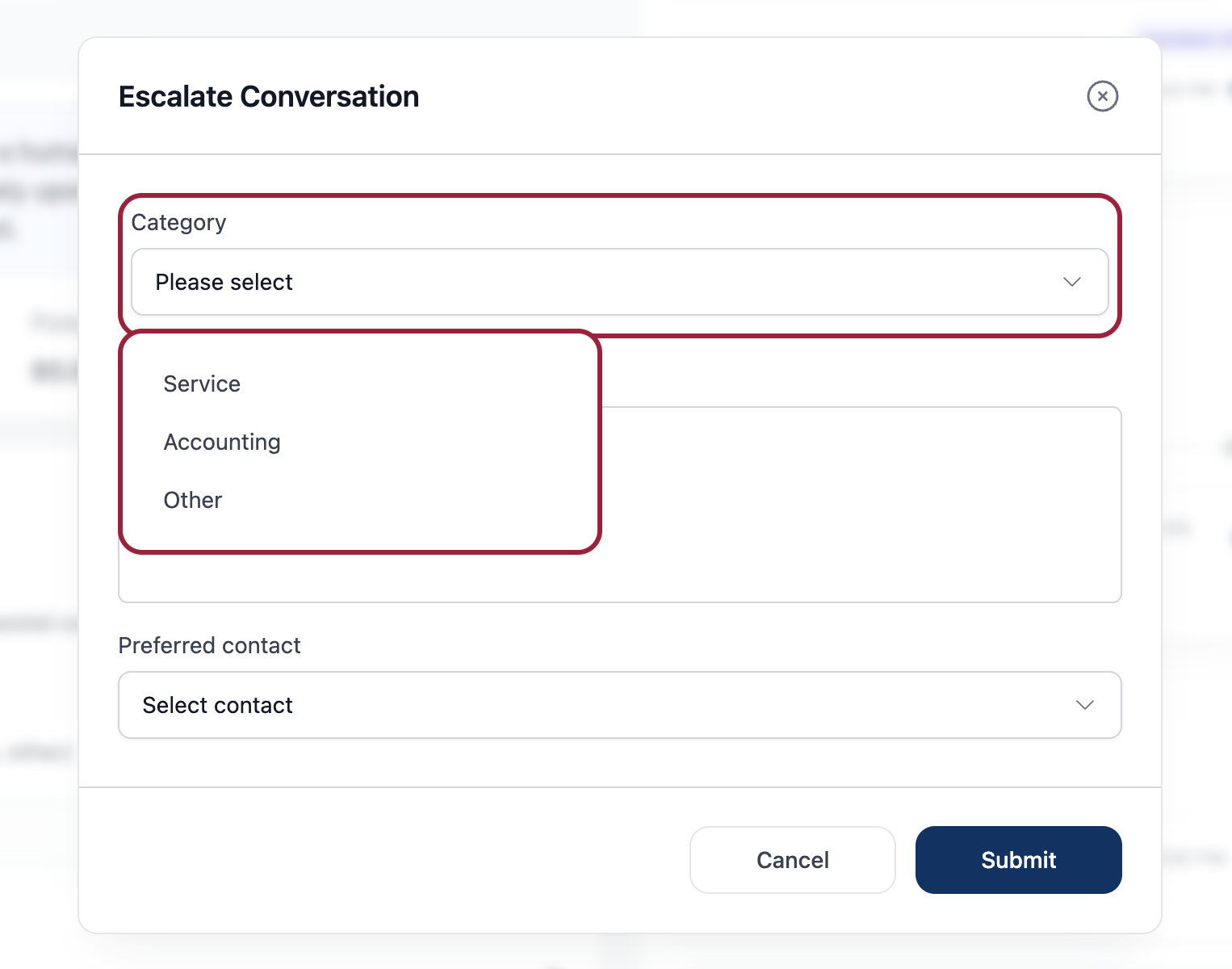
Not sure? Pick the closest match.
Step 3: Fill in Details & Submit
Write a quick note:
- What the issue is (1-2 sentences)
- What you tried
- Why you're escalating
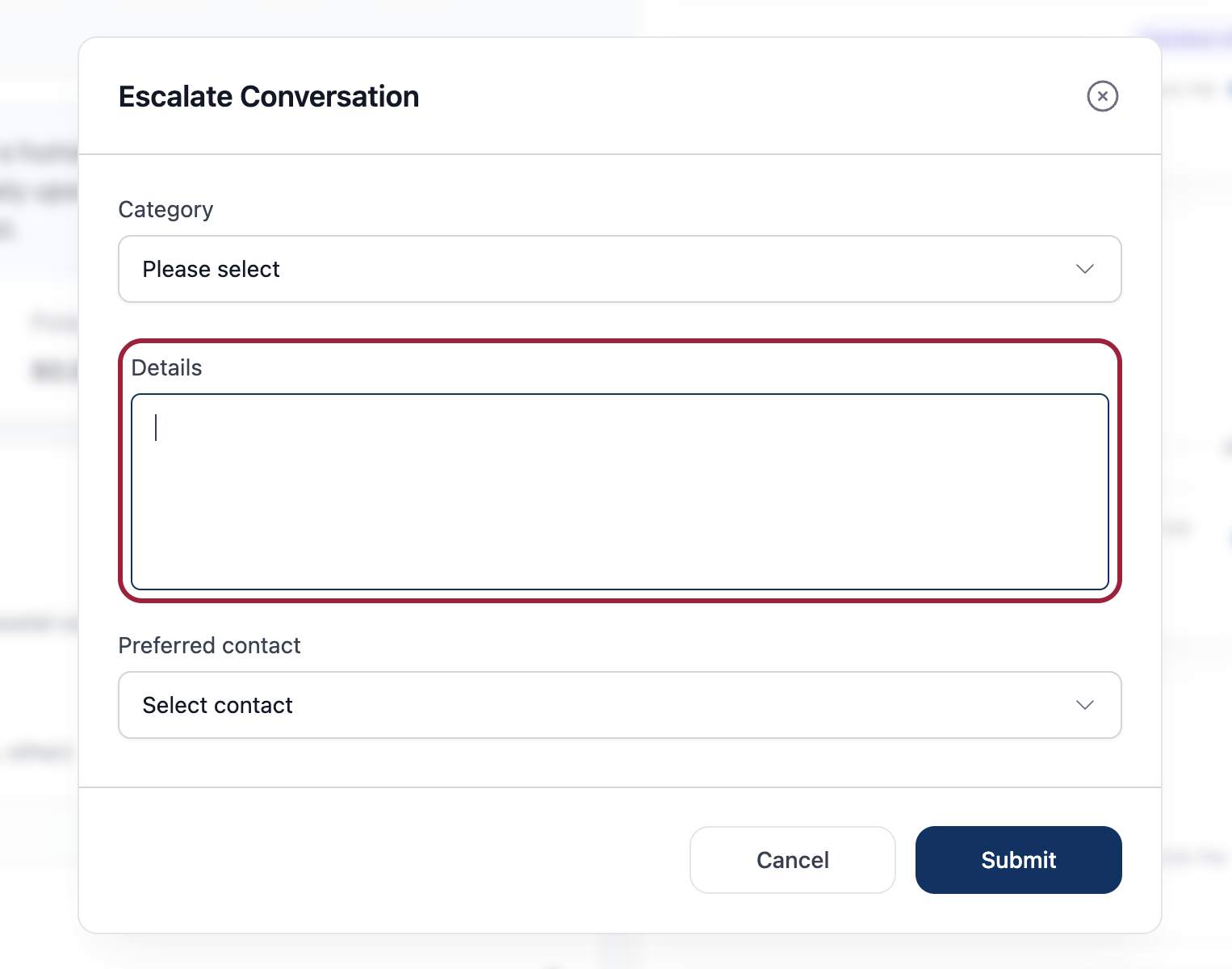
Then select contact method (Call/Text/Email) and click "Escalate to Account Team".
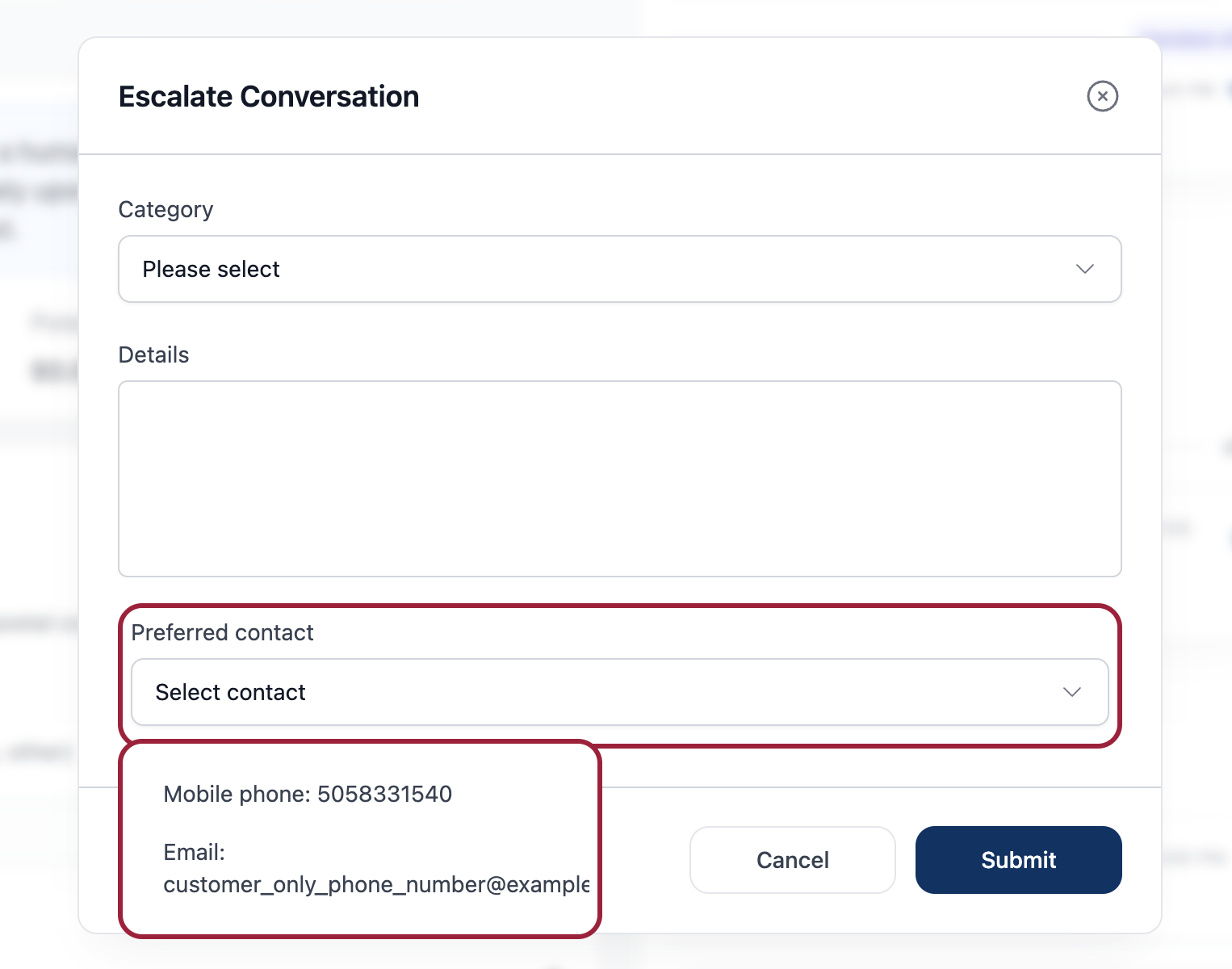
Example:
Issue: Customer disputing $450 charge. Tried: Explained policy, offered payment plan. Why: Customer demands manager, threatening BBB.
What Happens Next
- Task removed from your queue
- Account team gets notified
- They contact customer directly
- You're free to claim your next task
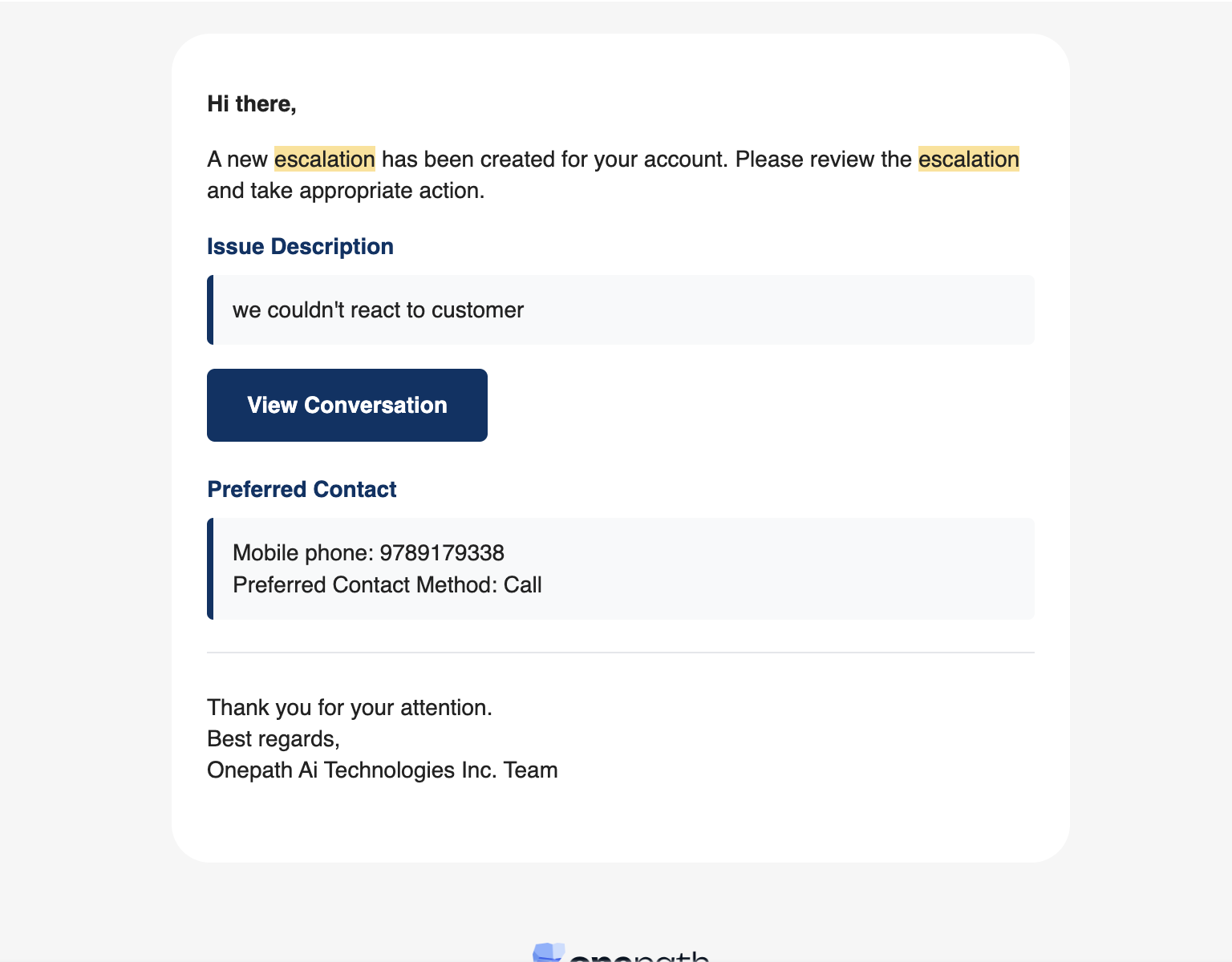
Timeline: Urgent = same day, Standard = 2-3 days
What to Tell the Customer
Before escalating:
"I'm escalating this to our account team. They have more authority to help you."
If they ask when:
"Someone will contact you within [1 business day] by [phone/email]."
If they're frustrated:
"I'm escalating because I want you to get the best help possible."
Still Stuck?
Need help? Ask your supervisor or call support: 555-1234
Related pages:
Video Tutorials
How to Escalate in 30 Seconds (Coming Soon)
When to Escalate vs Handle Yourself (Coming Soon)